Insert a quote, an order or an invoice into a message
Replying "here is our quote" usually means opening the document in Dolibarr, copying its amounts and finding its PDF. Capmail does it for you, from the document itself: nothing is retyped, so nothing is mistyped.
Before starting
- You must have the right to send emails from Capmail.
- Only the document types you can view in Dolibarr are offered (quote, order, invoice, project, ticket). If your rights are limited to your own customers, only their documents appear.
Steps
- Open the reply form (or New email).
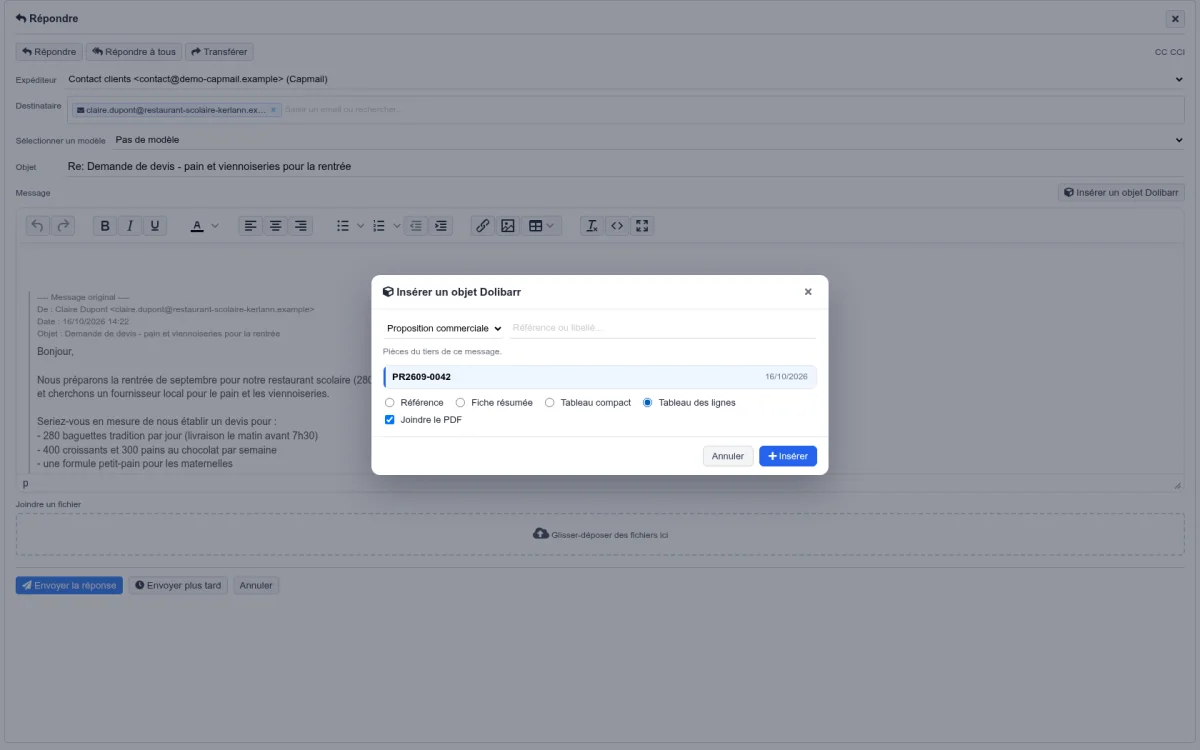
- Above the message, click Insert a Dolibarr object.
- Choose the document type. The list shows the documents of the message's third party: the one of the email you are replying to, or the recipient chosen in a new email. Without a third party, all the documents you can view are offered. The search field filters by reference or label.
- Click the document (a double-click inserts it directly).
- Choose the presentation:
- Reference: one line, with the incl. tax amount;
- Summary card: the reference, dates (quote validity, invoice due date), totals and status;
- Compact table: the same information on one line;
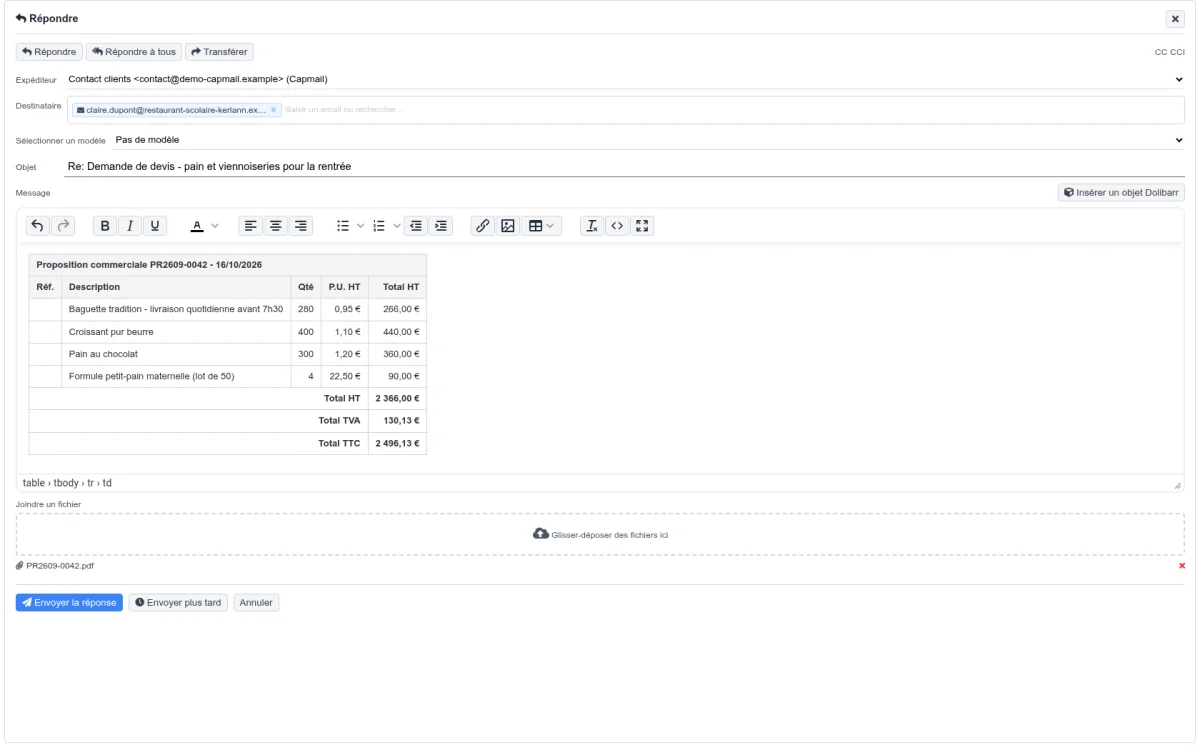
- Lines table: each line of the document (quantity, unit price, total) and the totals. Offered for a quote, an order or an invoice.
- Tick Attach the PDF to add the document's PDF to the message attachments.
- For a quote, tick Add the online signature link if you want the customer to sign from the email.
- Click Insert. The block is inserted at the cursor position; you can edit it like the rest of the message.
Good to know
- The attached PDF is the last one generated by Dolibarr for this document. If none exists, a message tells you: generate it from the document card, then try again.
- The online signature link is only offered if your administrator has enabled online signing of commercial proposals in Dolibarr.
- The block is formatted for most mail clients: a simple table, without image or style sheet.
- The quick reply under the message does not have this button: click Full form.