Usage
Accessing the module
Once the module is activated and permissions assigned, you access the Accounting Assistant via the Accounting > Accounting Assistant menu in the left navigation bar. Each feature has its own sub-menu.
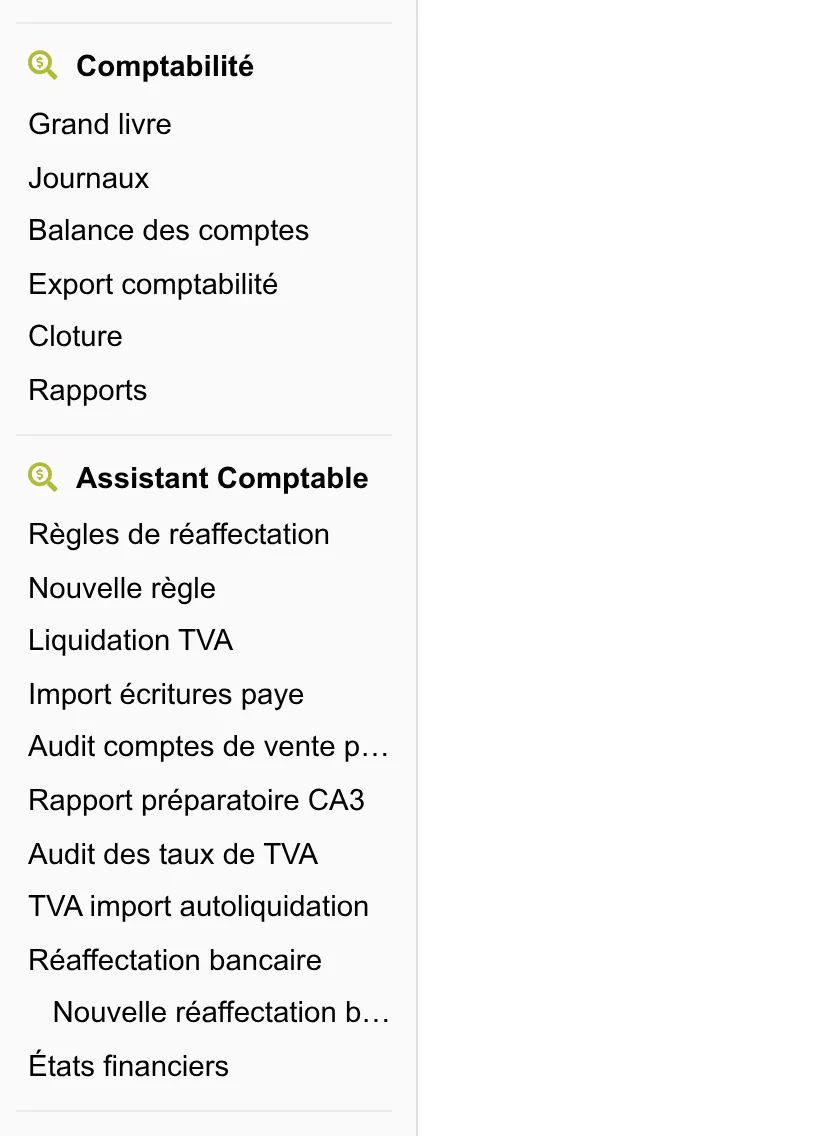
Main features
The module groups several independent tools. You can use each of them according to your needs, without having to enable them all.
Bulk accounting reassignment
Allows you to move ledger entries from one accounting account to another, applying filters (pattern in the label, period, journal). The workflow has three steps:
- Create a rule for reassignment with your criteria
- Preview the entries that will be modified
- Apply the reassignment
See the Reassignment page for the detailed guide.
VAT closure
Calculates and generates VAT closure entries for a given period (month or quarter). You select the period, the module identifies the VAT accounts concerned and produces the clearing entries.
See the VAT closure page for the detailed guide.
CA3 preparatory report
Produces a detailed report to prepare your CA3 VAT return, with the line-by-line detail of the amounts to enter on impots.gouv.fr.
See the CA3 report page for the detailed guide.
VAT rate checking
Audits the VAT rates applied to your commercial documents (invoices, quotes, orders, contracts) based on seller/buyer tax zones. Detects inconsistencies and offers direct correction.
See the VAT checking page for the detailed guide.
Import VAT reverse charge
Detects supplier invoices from outside the EU requiring VAT reverse charge and generates the corresponding accounting entries.
See the Import reverse charge page for the detailed guide.
Sales account audit
Identifies products sold without an accounting account configured for each geographic zone (France, EU, Export) and allows assigning the missing accounts in bulk.
See the Sales account audit page for the detailed guide.
Payroll entries import
Imports payroll accounting entries from a CSV file (Silae format) or FEC, with validation and preview before injection into the ledger.
See the Payroll import page for the detailed guide.
Bernard -- Community suggestions
Suggests accounting codes based on assignments shared by the Dolibarr user community. Useful for quickly allocating bank entries or invoices without an associated product.
See the Bernard page for the detailed guide.
Typical year-end workflow
At the end of the accounting year, a typical workflow using the module would be:
- Check the VAT rates on the year's documents with the audit tool
- Reassign the misallocated entries via the reassignment rules
- Audit the sales accounts to make sure each geographic zone has the right account
- Handle the reverse charge on import invoices from outside the EU
- Import payroll if you use external payroll software (Silae)
- Generate the VAT closure entries for each period
- Produce the CA3 report for the last return of the financial year