Installation
Download
Download the module from the DoliStore or from your CAP-REL customer area.
Installing the module
- Log in as a Dolibarr administrator
- Go to Home > Setup > Modules/Applications > Deploy/Install an external module
- Select the downloaded zip archive and confirm
Activation
- Go to Home > Setup > Modules/Applications
- Search for "Lightpilot" in the list
- Click the activation button
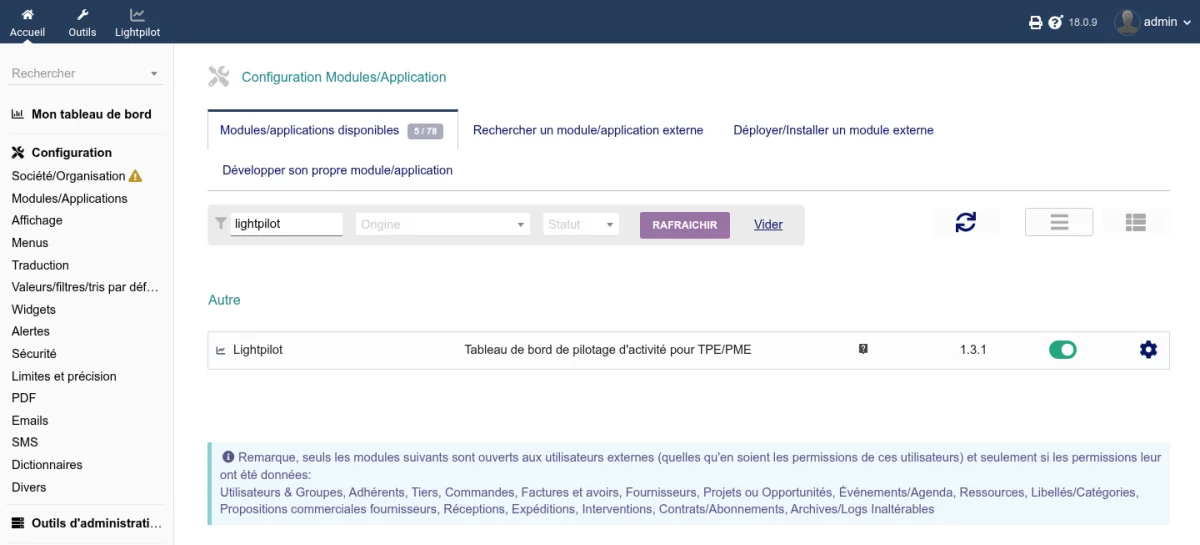
The module automatically creates the required database tables.
Accessing the dashboard
After activation, a new Lightpilot menu appears in the top navigation bar of Dolibarr. It gives access to two pages:
- Dashboard - Synthetic view of the key indicators
- Advanced Analytics - Forecasts, comparisons, seasonality and detailed analytics
Recommended Dolibarr modules
Lightpilot uses data from the following modules. The more you enable, the more complete the dashboard is:
| Module | Data used |
|---|---|
| Proposals | Proposals pipeline, transformation rate, conversion rate, commercial funnel |
| Orders | Orders in progress, commercial funnel |
| Invoices | Revenue, customer receivables, aged balance, top customers |
| Bank | Cash flow, bank account balances |
Update
- Install the new version of the module via Home > Setup > Modules/Applications > Deploy/Install an external module
- Deactivate then reactivate the module to apply the database updates and register the new hooks and permissions
Uninstallation
Deactivate the module from Home > Setup > Modules/Applications. The module data is kept in the database.