Configuration
The module configuration is accessible from Home > Setup > Modules > Lightpilot, Settings tab.
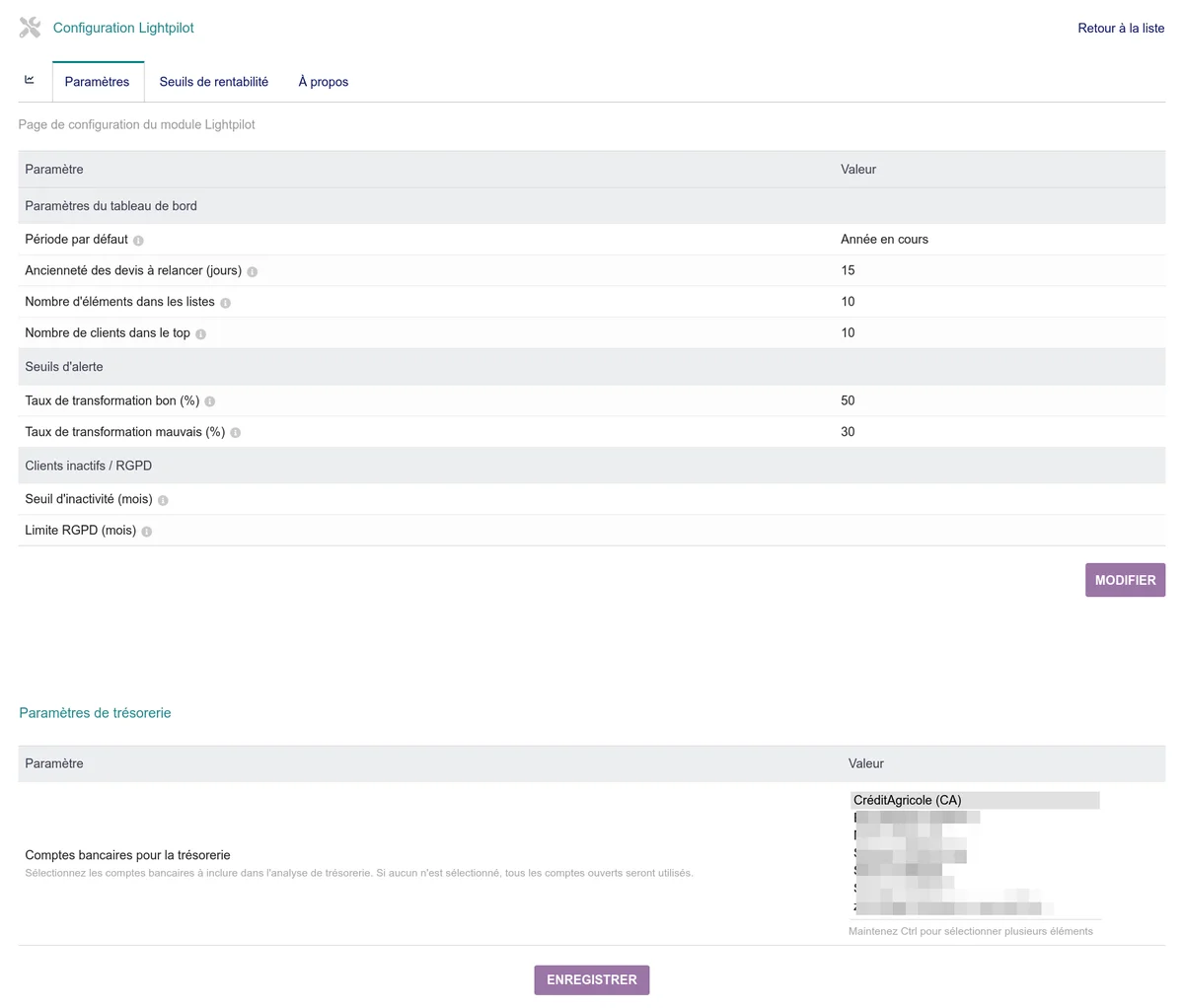
Dashboard settings
These settings control the default behavior of the dashboard.
| Setting | Description | Default value |
|---|---|---|
| Default period | Period displayed when opening the dashboard. Possible choices: current month, current quarter or current year. | Current year |
| Proposal age to follow up (days) | Number of days after which an open proposal appears in the proposals to follow up list. | 15 |
| Number of items in lists | Maximum number of items displayed in each dashboard table (proposals to follow up, late invoices, orders to process, etc.). | 10 |
| Number of customers in top | Number of customers displayed in the top customers ranking. | 10 |
Alert thresholds
These thresholds determine the display color of the transformation rate and the conversion rate on the dashboard.
| Setting | Description | Default value |
|---|---|---|
| Good transformation rate (%) | Above this threshold, the rate is displayed in green. | 50 |
| Bad transformation rate (%) | Below this threshold, the rate is displayed in red. Between the two thresholds, the rate stays neutral. | 30 |
Inactive customers / GDPR
These settings are used to detect inactive customers and for GDPR alerts on the advanced analytics page.
| Setting | Description | Default value |
|---|---|---|
| Inactivity threshold (months) | Number of months without activity (proposal, order or invoice) to consider a customer as inactive. | 12 |
| GDPR limit (months) | Number of months after which data must be anonymized. The default value matches the French legal limit. | 36 |
Cash flow settings
This section only appears if the Bank module is enabled in Dolibarr.
| Setting | Description |
|---|---|
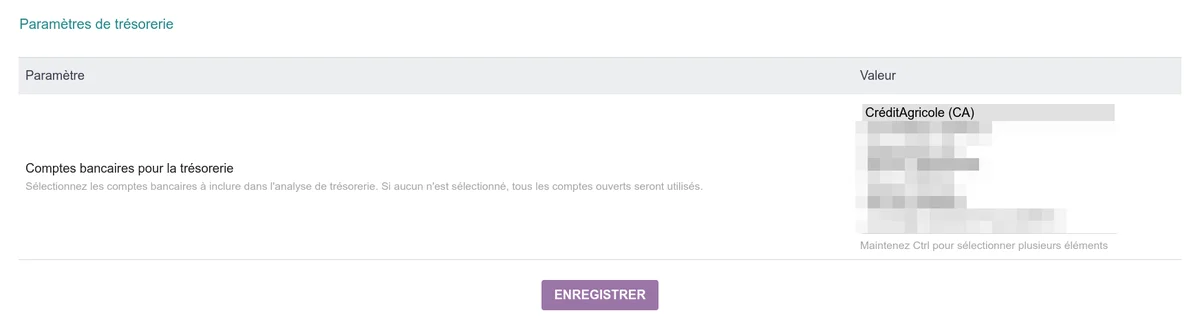
| Bank accounts for cash flow | Selection of the bank accounts to include in the cash flow analysis and the evolution chart. If no account is selected, all open accounts are used. Click in the field to add an account, on the cross of an account to remove it. |
Editing the settings
- Click the Edit button at the bottom of the page
- Adjust the desired values
- Click Save
For bank accounts, saving is done via a dedicated Save button in the cash flow section.
Accountancy net margin -- account prefixes
This section only appears if the Dolibarr Accountancy module is enabled. It controls the reading of validated accounting entries by the Monthly net margin (accountancy) chart of the dashboard.
For each category, you indicate the list of account number prefixes to include, separated by commas. The module keeps any entry whose account number starts with one of the prefixes (match LIKE 'prefix%'). Only numeric prefixes are accepted; an empty or non-numeric prefix is ignored.
| Setting | Description | Default value (French PCG) |
|---|---|---|
| Revenue account prefixes | Accounts considered as revenue (class 7). Summed as credit - debit. |
70 |
| Purchase account prefixes | Purchases and external services accounts (class 6). Summed as debit - credit. |
60,61,62 |
| Social charge account prefixes | URSSAF contributions, mutuals, provident (63 and 645). Summed as debit - credit. |
63,645 |
| Salary account prefixes | Gross staff remuneration (641) and operating allowances (644). Summed as debit - credit. |
641,644 |
Adapt these values if your chart of accounts differs from the French PCG (analytic accounts, custom chart, foreign accountancy). If a category remains empty after calculation, the dashboard displays a warning banner with the prefix used to help you diagnose.
Break-even thresholds
The Break-even thresholds tab (next to the Settings tab) allows you to define the monthly break-even amount excl. tax that your company must reach to cover its fixed costs.
The threshold is defined by segments with an effective date: from that date, the indicated amount applies. When your costs change (hiring, new rent, lower costs), simply add a new record from the switch-over date, without modifying the previous segments. The curve displayed on the dashboard is drawn as steps: it stays constant between two effective dates and increases (or decreases) at each switch-over.
| Field | Description |
|---|---|
| Effective from | Date from which this threshold applies. This threshold remains valid until the effective date of the next segment (or indefinitely if there is none). |
| Monthly amount excl. tax | Monthly break-even amount to reach, excl. tax. |
| Label | Short text explaining the cause of the switch-over (e.g. "sales rep hired", "rent +200 EUR"). |
| Note | Free text for details (calculation, assumptions, etc.). |
Example: 2,000 EUR from January 1st, then 5,000 EUR from March 1st (hiring date). On the chart, the red curve goes from 2,000 EUR to 5,000 EUR on March 1st as a step.
To add, edit or delete a threshold, use the form on the Break-even thresholds admin page. If no threshold is defined, the curve is not displayed on the dashboard.
Update check and telemetry
When the module is activated and when the modules page is displayed, Lightpilot queries the publisher's server (cap-rel.fr) to find out whether a more recent version exists. Each query transmits:
- the name and version of the module;
- the Dolibarr version (
DOL_VERSION); - an anonymous fingerprint of the installation:
md5(DOL_DATA_ROOT), a hash of the documents path, with no other data or identifier.